User & Access Management — Campus+
A single, point-and-click console to manage every user's access across Campus+ — assign roles, grant or revoke individual pages, and audit every change. Built on the existing custom RBAC without touching roles, the sidebar engine, or the mobile app. Every screenshot below is the live local Docker build running on real production data.
★ How access works
A user's effective access is resolved by a single source of truth shared by the page gate, the sidebar, and this module — so they can never disagree. Precedence, highest first:
Roles (membership)
Assign a whole role like Venue Admin in one click — the user inherits all its pages and the role reaches the mobile app, which gates features by role name.
Direct grants
Give one user a single extra page without assigning a role — stored on the user, affecting nobody else.
Revokes (surgical deny)
Remove one page from one user even when a role grants it — the role stays intact for everyone else.
Audit
Every grant, revoke, role change and undo is written to an immutable trail with actor, time and reason.
| Concept | Where it lives | Affects the mobile app? |
|---|---|---|
| Role membership | UserRecord.user_groups | Yes — app reads role names |
| Direct grant | UserRecord.permissions | No — web only |
| Revoke | UserPermissionRevoke (new) | No — web only |
| Audit | AccessAuditLog (new) | — |
1 Users directory
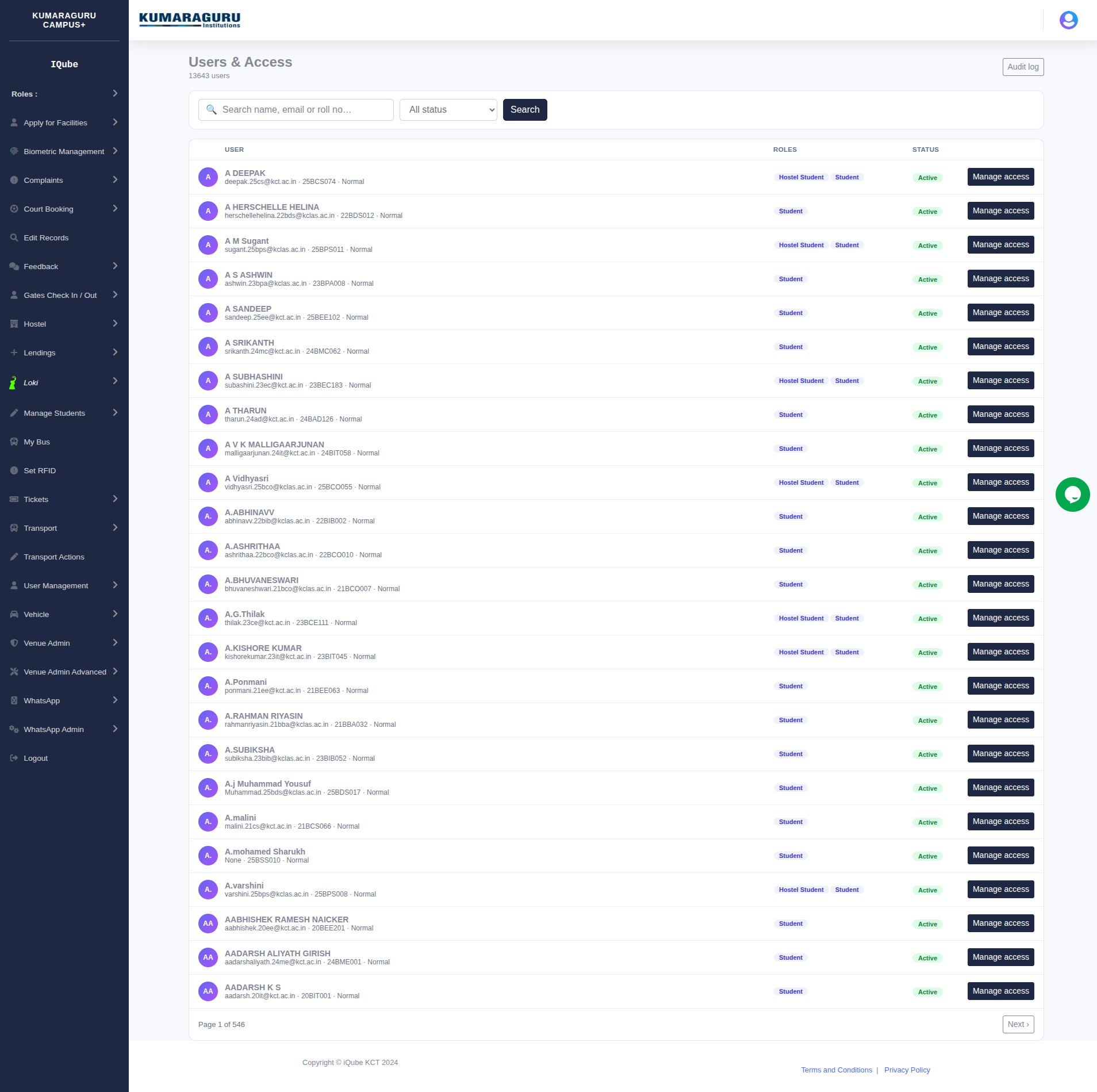
The entry point — a searchable directory of every user with their role chips, status and a one-click Manage access. Search by name, email or roll number; filter by active / blocked.
manage-access permission.2 Access editor — the whole screen
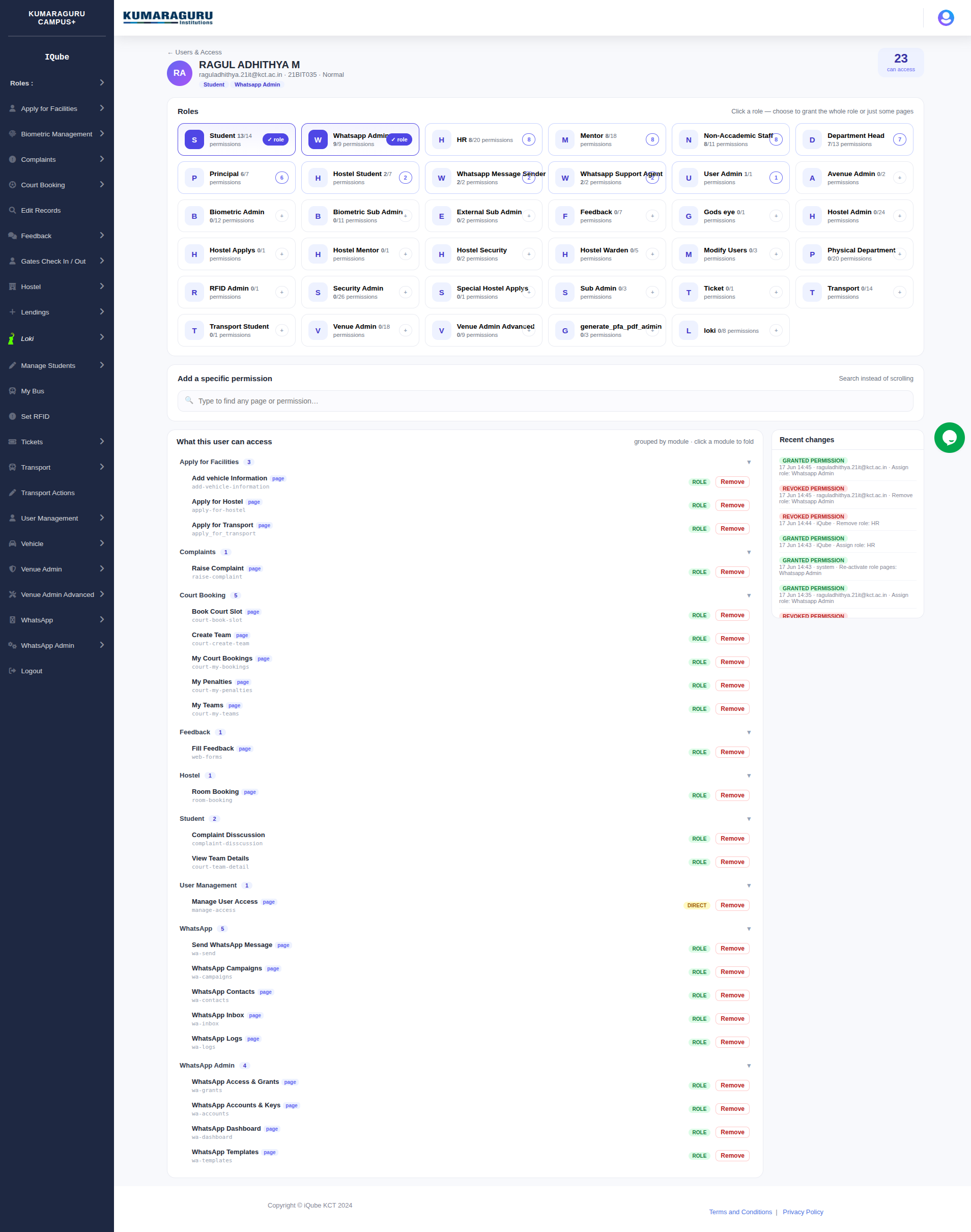
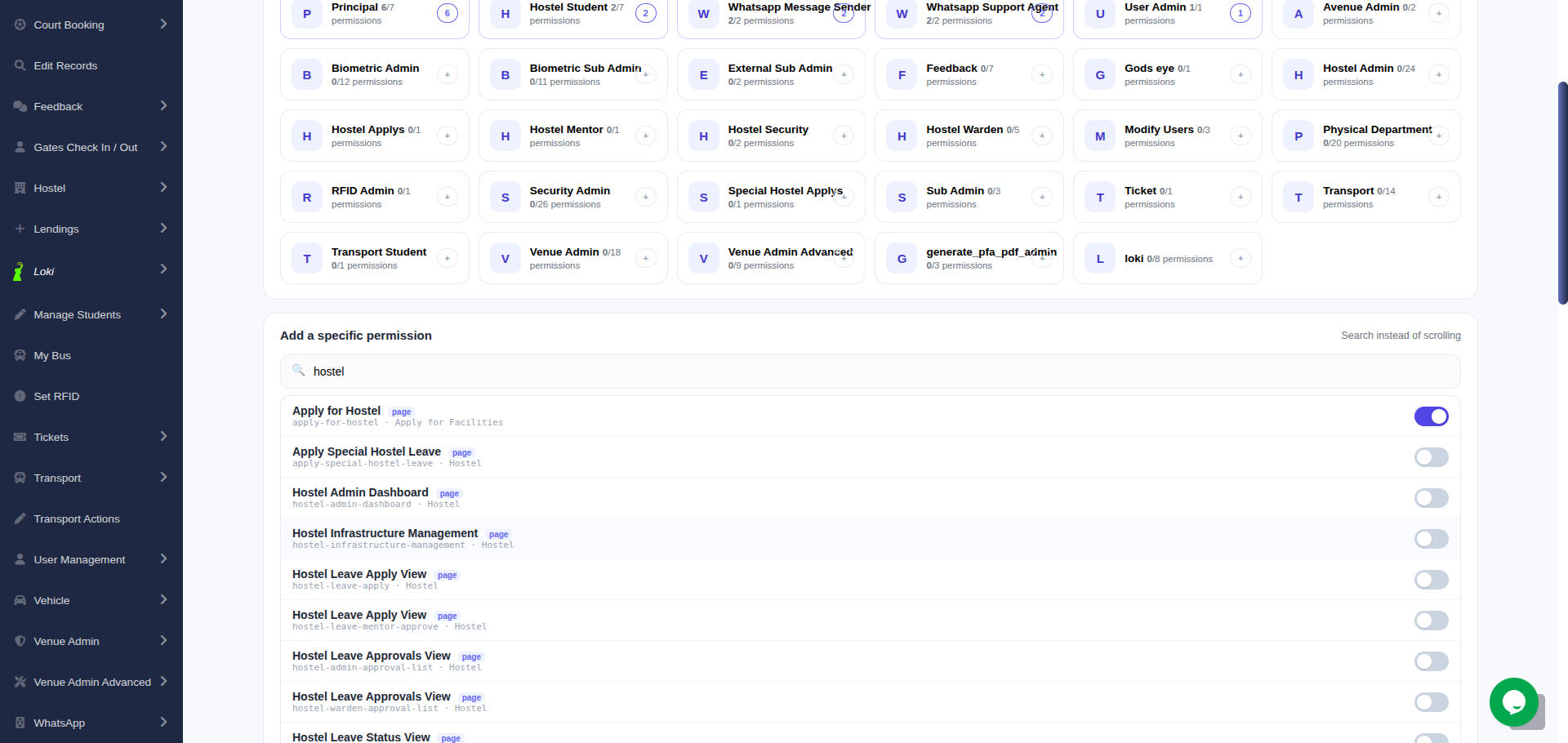
One page to manage a user's entire access. Three zones: Roles (tiles you click to grant a whole role), Add a specific permission (search instead of scrolling), and What this user can access (a clean module→page tree with one-click remove). The live "can access" counter and a Recent-changes feed sit at the top-right.
- Role tiles show membership (✓ role), partial coverage (n/total) and a progress bar at a glance.
- Everything is instant — grants, revokes and removes apply over AJAX with a toast, no page reload.
- Header chips reflect the user's actual roles; the mobile app sees the same role names.
3 Role popup — whole role or just some pages
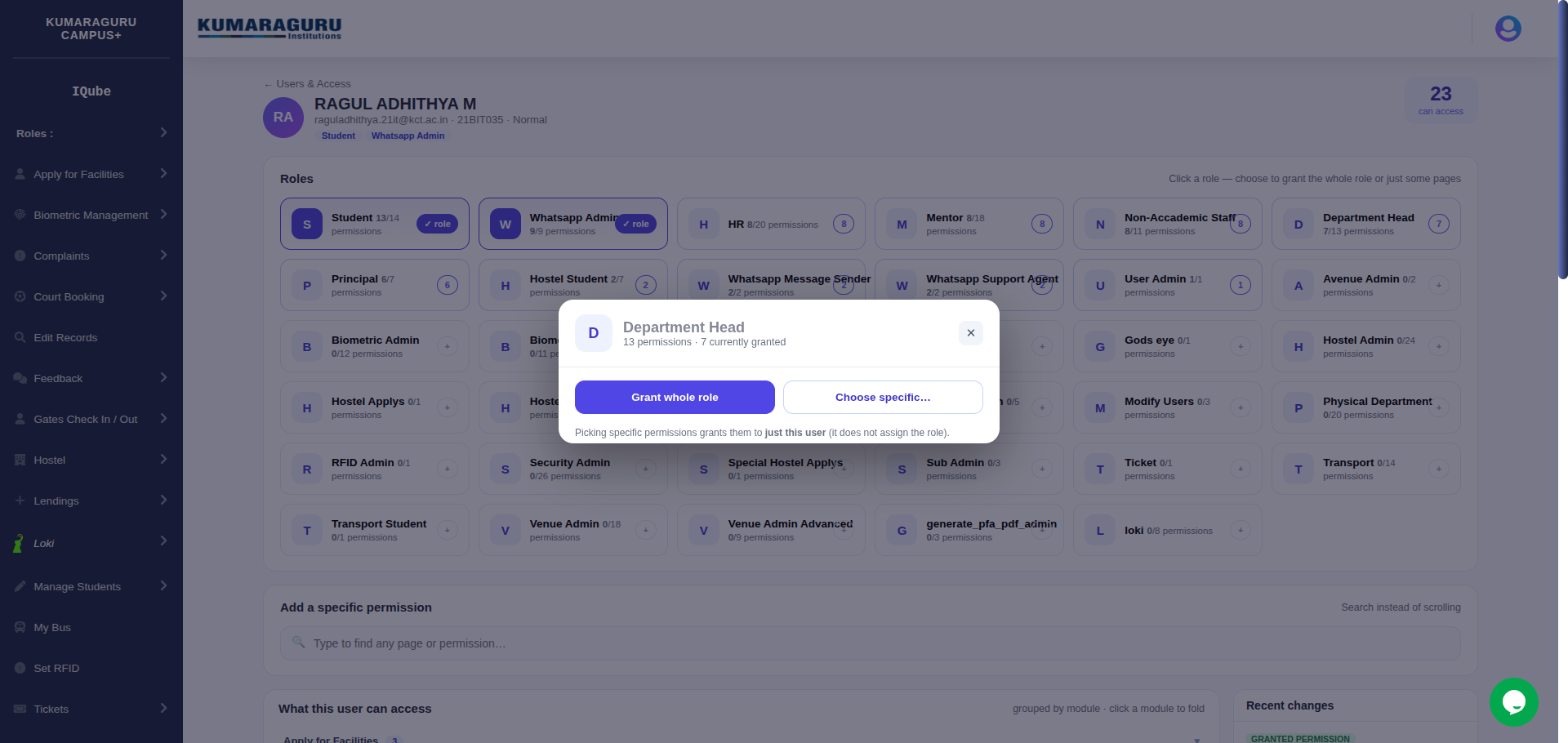
Clicking a role never fires blindly — it opens a popup asking how much to grant. Grant whole role assigns the actual role (and clears any stale revokes on its pages, so they all switch on). Choose specific… lets you pick individual pages instead, granted to just this user without assigning the role. An assigned role instead offers Remove this role and, if some pages are off, Turn on all pages.
4 Choose specific pages
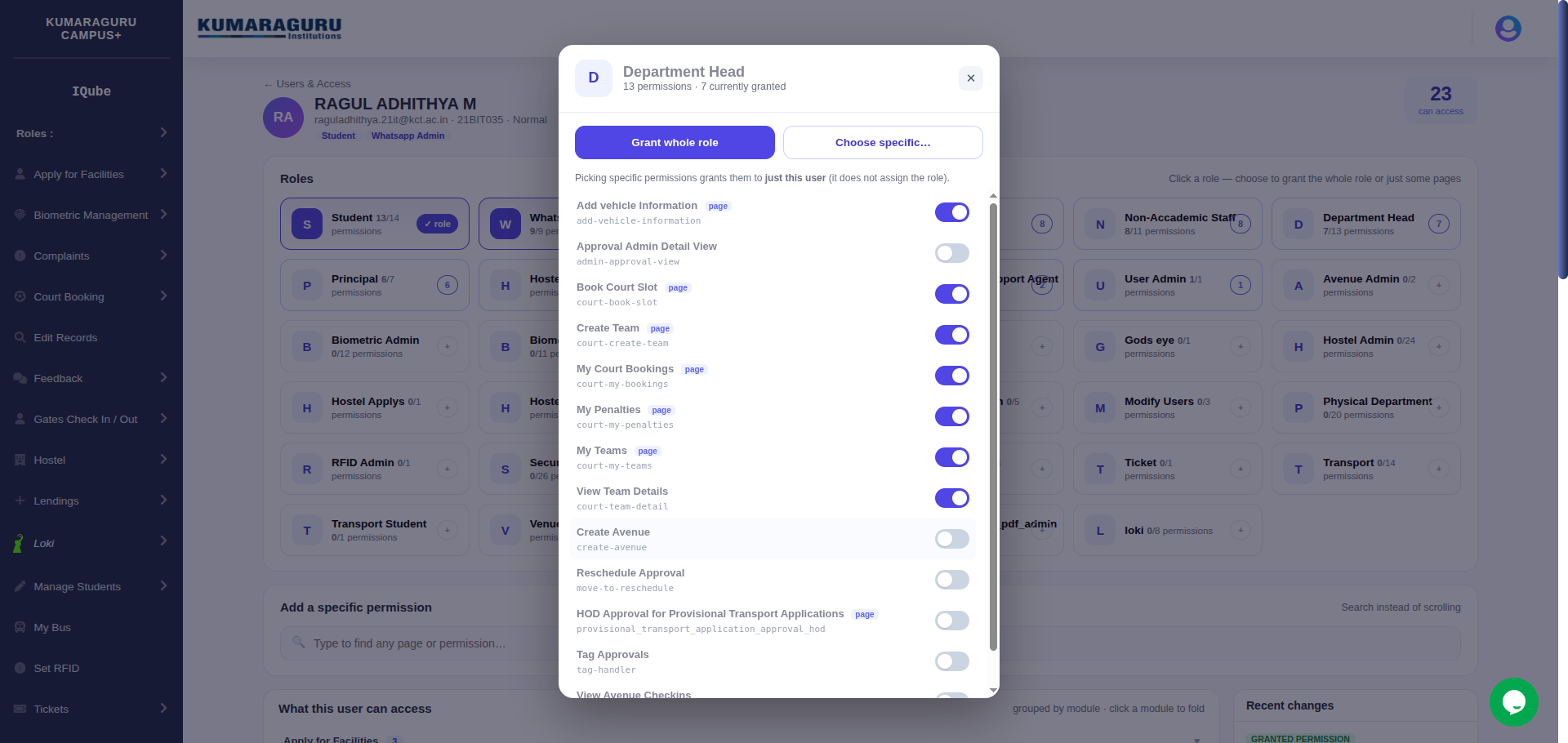
Expands the role into its individual pages, each a toggle reflecting the user's current state. Flip only the ones you want — they're granted directly to this user, leaving the role itself untouched for everyone else.
5 Command search — add a page without scrolling
Rather than scroll 194 permissions, type a few letters. The search instantly filters every page across all modules and shows a toggle for each — flip it on and the page is granted live, appearing in the access tree below.
6 What this user can access
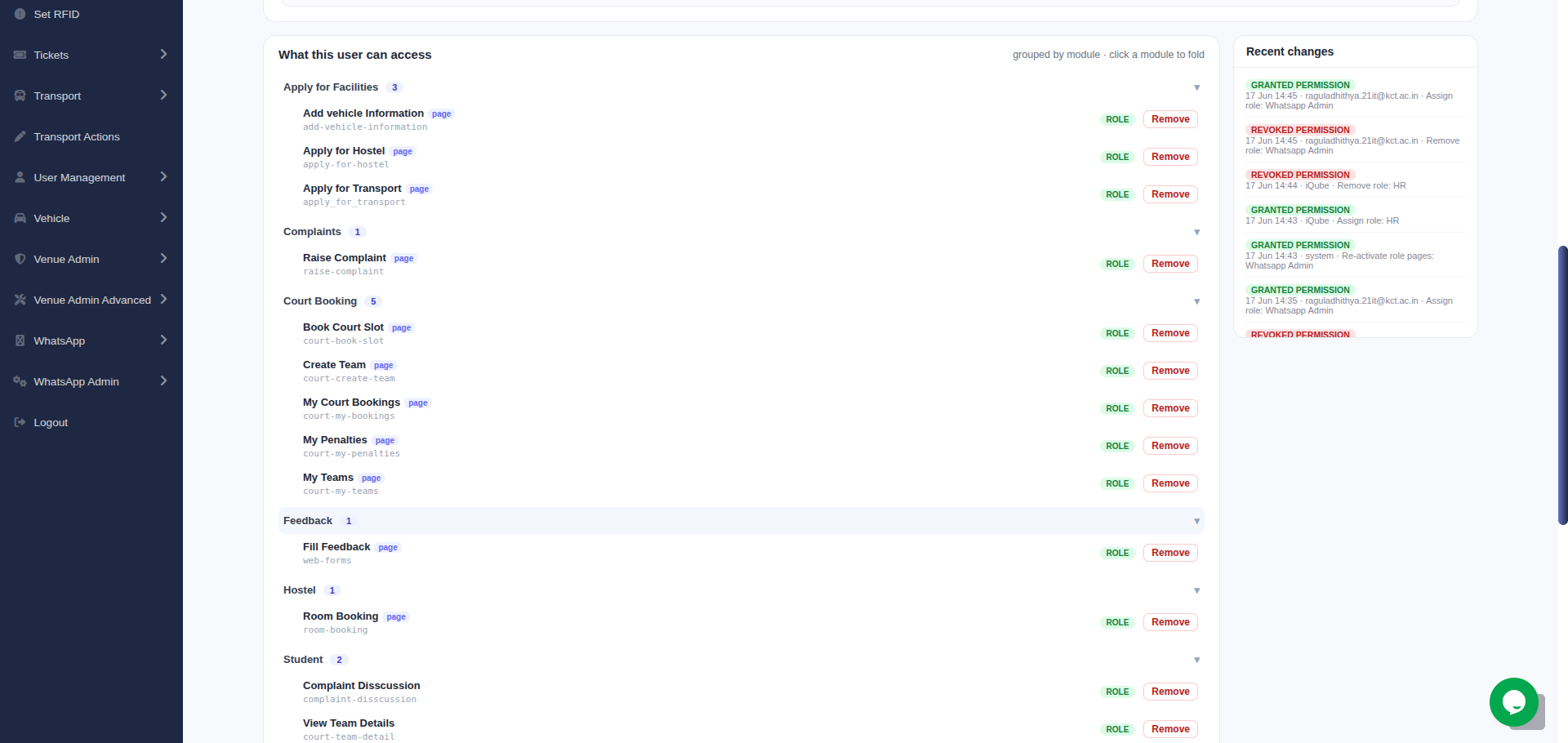
A clean tree grouped by module. Each module folds; under it every page is listed with its name, codename and a source badge — role (from a role), direct (granted to this user), revoked. One-click Remove on any page.
7 Audit log
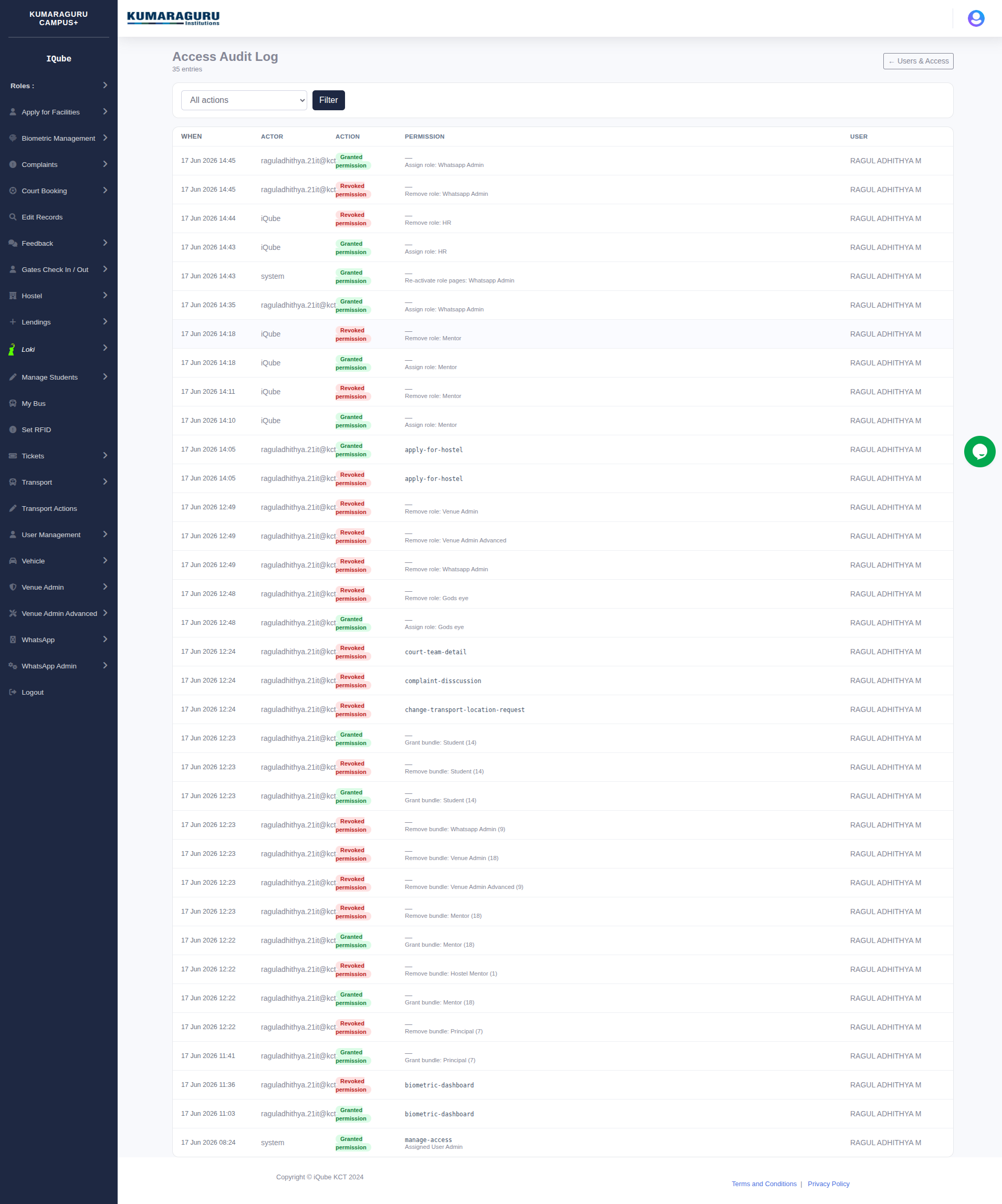
An immutable, filterable trail of every access change — grants, revokes, role assigns/removes and undos — each with the actor, timestamp, the permission/role, and a reason. Filter by action type and paginate.
⚙ What was built & how it stays safe
- 2 new models —
UserPermissionRevokeandAccessAuditLog. One additive migration, zero changes to existing tables. - One resolver —
base_app/access.pyresolves effective access (superuser > revoke > grant) and is used by the page gate, the sidebar and this module, so they never drift. - A dedicated "User Admin" role holds
manage-access; the module is gated by it (superusers bypass to grant the first admin). - Anti-lockout — you can't revoke or remove your own access-management permission.
- Smart bulk logic — granting a whole role clears stale revokes on its pages so they truly switch on; minimal state is kept (no redundant grants).
permission_objects.py sync, the legacy type field and the mobile API are all untouched. The only edits to existing files add a revoke-aware check that is a no-op until a revoke exists.